
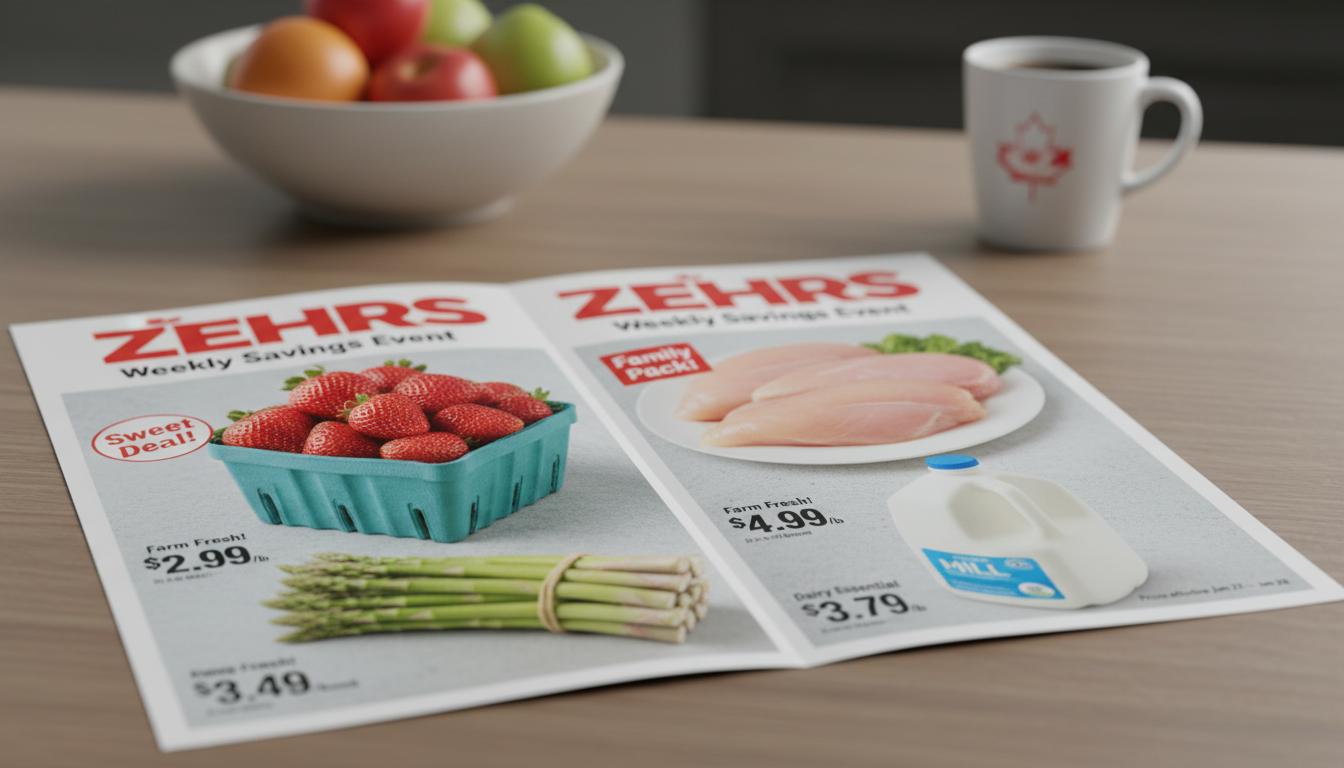
If you live in Ontario and buy groceries at Zehrs, the weekly Zehrs flyer isn’t just a list of specials—it’s your roadmap to lowering your bill without compromising on quality. In this in-depth guide, you’ll learn how to find the current Zehrs flyer quickly, decode the fine print, stack deals with PC Optimum, plan meals around real Canadian seasons, and avoid common pitfalls at checkout. You’ll also see how to make the most of in-store and online shopping at Zehrs, understand useful consumer protections in Canada, and build smart habits that pay off all year.
Ready to shop smarter without spending your entire weekend comparing prices? Let’s walk through practical strategies you can start using with the Zehrs flyer this week.
What the Zehrs Flyer Actually Is—and Why It Matters
Zehrs is part of Loblaw Companies Limited and operates primarily in Ontario, with many stores concentrated in cities like Kitchener, Waterloo, Guelph, Cambridge, Barrie, Orillia, and Windsor. The weekly zehrs flyer highlights temporary price reductions, multi-buy offers, and PC Optimum points promotions for your local store. While national features appear across the chain, many offers are store-specific, so the flyer you see in Barrie may differ from the one in Guelph.
Most Zehrs flyers in Ontario run on a Thursday-to-Wednesday cycle. That means the new week’s offers generally start Thursday morning and end the following Wednesday night. Always confirm the start and end dates printed on the front page of the flyer you’re viewing—especially around holidays—since some locations may shift hours or feature special promos.
Why does the flyer matter so much? Because most household grocery budgets rise and fall with sale timing. Lean into the flyer, and your weekly total drops predictably. Ignore it, and you’re at the mercy of full price, which adds up fast over time.
Where to Find the Zehrs Flyer (Fast, Accurate, and Local)
Find It Online—The Easiest Way
The best way to grab the correct zehrs flyer for your area is online. Use one of these quick paths:
- Zehrs website: Go to zehrs.ca and set your preferred store by city or postal code. You’ll see the current weekly flyer and any local store features.
- PC Optimum app: If you collect PC Optimum points, open the app, choose your home store, and check the Flyer or Offers section. You’ll see promotions aligned with the flyer for your selected location.
- Flyer apps like Flipp or Reebee: Type “Zehrs” and your city (e.g., “Zehrs Barrie flyer this week”) to see the latest deals. Set alerts if you want a nudge every Thursday.
Online flyers are updated quickly and reflect store-level details. That’s crucial if you travel between cities or live near multiple Zehrs locations. One store’s price on chicken breasts or berries might be a little different from another’s, especially during regional promotions.
Print Flyers and In-Store Copies
Some communities still receive print flyers by mail or in local papers. In-store, you may find printed copies near the entrance or at customer service—though many locations now steer shoppers online. If you prefer paper but your area has gone digital-first, you can print a few pages at home or screenshot key offers to reference while shopping.
Check the Dates and the Fine Print
Always scan the flyer dates and look for disclaimers such as “select varieties,” “in-store only,” “PC Optimum members,” or “while quantities last.” Flyers are marketing pieces first and foremost. The real rules live in the small print and on the shelf tags once you’re in store.
Decoding the Zehrs Flyer: The Language of Savings
Multi-Buys, Limits, and “After Limit” Pricing
It’s not just about the big price in bold. Here’s how to read the details:
- Multi-buy offers (e.g., 2 for $5): Often you’ll still get the per-item price if you buy just one. If the flyer states “must buy 2,” then you need two to get the lower price. Look for “or $2.99 each” or similar notes.
- Limit deals (e.g., limit 4, after limit $X): You’ll get the sale price up to the stated limit. Beyond that, the “after limit” price kicks in (usually higher). If you need more at the sale price, shop another day within the flyer period or involve another member of your household in a separate transaction—if that aligns with store policy and you’re not abusing limits.
- “Mix & match”: You can combine different items within the same promotion family to get the advertised multi-buy price. The flyer usually lists the eligible varieties.
Unit Pricing and Canada’s Measurement Conventions
Canada uses metric measurements, so fresh meat, produce, and cheese often show prices per 100 g or per kilogram. On packaged pantry items, the shelf tag (not always the flyer) will display unit pricing per 100 g or 100 mL. Use these unit prices to compare brands or package sizes quickly—especially helpful when shrinkflation changes package weights.
PC Optimum Offers in the Flyer
Zehrs layers PC Optimum points promotions on top of sale prices. Examples you might see:
- Spend-based offers: “Get 4,000 points for every $20 spent on select cleaning brands.”
- Product-specific offers: “Get 2,000 points for every 2 participating yogurts.”
- Category events: “20x the points on select beauty products.”
Value check: 10,000 PC Optimum points = $10 in redeemable value at participating banners (including Zehrs). So a “4,000 points” promo is effectively $4 back when you meet the terms. You don’t need to do math every time—but knowing that 1,000 points is roughly $1 is a quick mental shortcut.
Seasonal Patterns You Can Predict
Flyers follow Canadian seasons. Think Ontario hothouse tomatoes and cucumbers in late winter and spring, abundant local produce from June to October, and holiday features around Easter, Thanksgiving, and December. If you know what’s in season, you can plan bigger purchases when prices drop—like stocking up on Ontario peaches for freezer prep in late summer.
Maximizing Savings with the Zehrs Flyer
Pair the Flyer with PC Optimum Personal Offers
Every Thursday, open your PC Optimum app to load personal offers tailored to your shopping habits. These often include “20% back in points” on specific brands or “2,000 points when you buy X.” Combine these with zehrs flyer sale prices for an easy double dip. Example: If bacon is on sale and your personal offer gives 600 points on that brand, you secure the lower price plus the points bonus.
Use Manufacturer Coupons (When You Have Them)
Zehrs accepts manufacturer coupons that meet the stated terms (e.g., valid Canadian coupon, unexpired, one per purchase, etc.). Sources include brand newsletters, printable coupon portals, and direct mailers. Physical coupons tend to be less common than in years past, but they still show up—especially for household items, baby products, and personal care. Stacking a manufacturer coupon with a sale price can beat warehouse-club pricing for single items.
Watch for Threshold Offers
Some weeks, the zehrs weekly flyer highlights thresholds like “Get 10,000 points when you spend $50 on select household brands.” If you plan to stock up, organize your cart to hit the threshold cleanly. If you’re just shy—say, at $47—add a small eligible item to cross the line and unlock the points. If your household runs multiple errands, consider splitting transactions so you don’t overbuy just to chase points.
Points Events and Category Bonuses
Zehrs and other Loblaw banners periodically run 20x points events in select departments (beauty, over-the-counter medicine, or seasonal items). These may not apply to regulated items such as prescriptions and tobacco, and may exclude alcohol where required by law. Check the flyer and your app for specifics. On a 20x day for eligible items, your points haul can outpace even a steep sale, so it’s worth syncing purchases to those windows if you can.
Know the Scanner Price Accuracy Code (SCOP)
Many major Canadian retailers, including Loblaw banners, follow the voluntary Scanner Price Accuracy Code administered by the Retail Council of Canada. If a scanned price at checkout is higher than the shelf price for an eligible non-ticketed item, you’re entitled to:
- The item free if it’s priced at $10 or less;
- Or a $10 reduction if the correct price is more than $10.
SCOP has conditions and exclusions (e.g., some behind-the-counter items, coded discounts), but it’s a valuable protection. If you notice a price discrepancy, politely mention the shelf tag at checkout or at customer service. Staff can verify and apply SCOP when appropriate.
Rain Checks and Substitutions
Whether Zehrs offers rain checks for out-of-stock flyer items can vary by location and by product. Ask at customer service if an advertised item sells out early. If your store doesn’t issue rain checks, ask about a comparable substitution or check back later in the flyer period. For online orders, you can set substitution preferences so your PC Express picker knows how to handle out-of-stocks.
Meal Planning with the Zehrs Flyer
The fastest way to make the zehrs flyer pay off is to plan your meals around the best deals. It doesn’t require chef-level planning. Just pick a few anchor proteins or plant-based mains from the flyer, add produce that’s in season, and fill in pantry basics when they’re discounted.
A Simple, Practical Method
- Skim page one of the zehrs flyer this week for “front-page bangers”—meat, produce, and pantry staples at unusually low prices.
- Pick 2–3 proteins or mains (e.g., chicken thighs, farmed salmon, PC Plant-Based burgers). Choose the one with the deepest discount as your big batch meal.
- Add 3–5 produce items that are seasonal and cheap (e.g., Ontario greenhouse cucumbers, bagged carrots, apples).
- Check the middle pages for household and dairy deals (e.g., milk alternatives, yogurt multipacks, eggs).
- Finish with snacks and breakfast items only if they’re on sale or you truly need them.
Sample 7-Day Meal Plan Built from a Typical Flyer
| Day | Dinner Idea | Built from Flyer Buys | Prep Notes |
|---|---|---|---|
| Mon | Sheet-pan chicken thighs with root veg | Family pack chicken thighs; bagged carrots; onions; potatoes | Batch-roast extra for Wed lunch |
| Tue | PC Plant-Based burgers with salad | Plant-based patties; bagged salad; cucumbers | Toast buns; make extra patties for freezer |
| Wed | Stir-fry with discounted produce | Broccoli crowns; peppers; tofu or thin-sliced beef | Use pantry rice; stretch with frozen veg |
| Thu | Salmon or white fish with lemon and rice | Frozen fish fillets; lemons; rice | Defrost day before; save leftovers for wraps |
| Fri | Pasta night (red sauce + veg) | Pasta multi-buy; jarred sauce; mushrooms; spinach | Bulk-cook sauce; freeze extra portions |
| Sat | BBQ or oven-baked sausage with slaw | Sausage on sale; cabbage; carrots; buns | Make big slaw to use Sun lunch |
| Sun | Soup and grilled cheese | No name broth; canned tomatoes; bread; cheese | Use odds and ends from the week |
Adjust for dietary needs. The key is using the flyer to anchor decisions. If Ontario asparagus looks great in spring, swap it in. If there’s a PC Optimum offer on yogurt and berries, shift a couple breakfasts in that direction.
Make the Most of President’s Choice, no name, and Blue Menu
Loblaw’s private labels are a major strength at Zehrs. President’s Choice covers premium and innovative items (including PC Plant-Based), no name offers budget-friendly staples, and Blue Menu focuses on nutrition-forward options. You’ll often see these brands featured in the zehrs weekly flyer. When a PC product you use hits a good sale combined with a points offer, stock up—those cycles repeat, but not every week.
In-Store vs. Online: How the Flyer Works in Both Worlds
In-Store Shopping Tactics
- Shop early in the flyer week if you want the hottest specials. Popular items can sell out by the weekend.
- Check markdown racks in bakery and meat. Many Zehrs locations discount close-dated items with stickers in the late afternoon or evening. If you’ll use or freeze the item right away, it’s a quiet goldmine.
- Watch shelf tags closely. The shelf is where the fine print lives—eligible sizes, limits, and the per-unit pricing. If anything looks off at checkout, remember the Scanner Price Accuracy Code.
- Bring reusable bags. Single-use plastic checkout bags are largely phased out in Canada, and paper or reusable options often come with a fee.
PC Express Pickup and Delivery
Prefer ordering online? PC Express lets you shop for your chosen Zehrs store and pick up curbside or get delivery in select areas. Flyer prices generally apply to online orders as long as you’re shopping the same store and dates shown on the zehrs flyer. A few pointers:
- Select your store first. Prices reflect that location’s flyer and inventory.
- Set substitution preferences on key items. For produce, specify ripeness or add notes. For pantry items, indicate if any flavour is acceptable within the same brand and size.
- Apply your PC Optimum account at checkout. Personal offers and eligible points promos should track to your order. If points go missing, use the app’s “Points Inquiry” feature to request an adjustment.
- Watch service fees and time slots. Fees and minimums vary, and promotions sometimes waive fees for certain days or spending thresholds.
Special Categories Worth Watching in the Flyer
Pharmacy and Health
Many Zehrs stores include pharmacies that offer Ontario services such as routine vaccinations (e.g., seasonal flu shots) and pharmacist assessments for minor ailments where permitted. Flyer offers often cover over-the-counter items, vitamins, and personal care. PC Optimum points typically do not apply to prescriptions or certain regulated items. Read the fine print to know what qualifies for points.
Alcohol, Where Available
Select Ontario grocery stores, including some Zehrs locations, sell beer, cider, and/or wine in accordance with provincial regulations. Flyer treatment for alcohol can vary, and points on alcohol may be restricted by law in Ontario. If your store sells alcohol, look for in-aisle tags for any permitted promotions and check hours, which may differ from general store hours.
Baby, Pet, and Household Staples
Large-format items like diapers, pet food, garbage bags, and laundry detergent follow predictable sales cycles. Use the zehrs flyer to track these patterns, then buy enough to last until the next cycle. Spend-based points offers frequently target these categories, making them prime territory for stacking savings.
Regional Notes: Zehrs Across Ontario
Zehrs locations cluster across Southwestern and Central Ontario. While the core offers are often similar, you’ll see local differences:
- Kitchener–Waterloo–Cambridge–Guelph: Dense store network with robust fresh departments. Watch for local seasonal produce features and convenient pharmacy services.
- Barrie–Orillia–Collingwood area: Strong weekend traffic, especially in summer. Shop early on high-demand items like grilling meats and fresh bakery.
- Windsor–Chatham–Sarnia corridor: Family-size and Club Size options often do well here. Check freezer deals and bulk pantry promotions.
Since the zehrs flyer is store-specific, always set your location before comparing prices. If you commute between, say, Waterloo and Guelph, the better deal might shift week to week just enough to matter.
Sustainability and Smart Habits You Can Feel Good About
Use the Flyer to Reduce Food Waste
Food waste is money wasted. Build your weekly menu around the flyer, but portion it realistically. Buy a family pack of chicken only if you’re going to batch-cook or freeze portions the same day. Make two-for-one produce deals work by choosing items with a longer shelf life (e.g., carrots, apples) alongside shorter-life items you plan to eat early in the week (e.g., berries).
Try Flashfood (Where Available)
Many Loblaw-banner stores, including numerous Zehrs locations, partner with the Flashfood app to sell close-dated items at deep discounts. You browse in the app, pay there, and pick up from a designated fridge or shelf in-store. It’s a direct way to cut costs and reduce waste. If your local Zehrs participates, pair Flashfood finds with zehrs flyer staples to stretch your budget further.
Choose Local When It’s In Season
Watch for Foodland Ontario labels and local callouts in the flyer and in-store. Ontario-grown produce is at its best—and usually its cheapest—when it’s in season. You’ll often get better flavour and longer freshness windows, which reduces the risk of tossing food later in the week.
Know Your Rights, Fees, and Taxes in Ontario
Taxes on Groceries vs. Ready-to-Eat
In Ontario, most basic groceries are zero-rated for HST, meaning you don’t pay tax on them. Prepared and ready-to-eat foods, some beverages, and certain snack categories are usually taxable. If your bill includes an unexpectedly high tax line, review which items were considered prepared foods or non-basic grocery items.
Single-Use Plastics, Bag Fees, and Reusables
With Canada’s move away from single-use plastics, expect to bring reusable bags or pay for reusable or paper options at checkout. This applies in-store and often to online pickup or delivery orders as well. Some stores charge a small fee for each reusable bag selected in PC Express; if you prefer, choose “no bags” and bring your own containers to pickup.
Scanner Price Accuracy Code (Revisited)
It’s worth repeating: if an eligible item scans higher than the shelf tag, ask about the Scanner Price Accuracy Code at checkout. It’s a simple, consumer-friendly mechanism widely adopted across Canadian retailers, and it works at Zehrs locations that participate. You don’t need to argue—just calmly ask for a price check and SCOP if applicable.
Troubleshooting Common Problems
Item Out of Stock
Hot flyer items can sell out quickly. Politely ask customer service if there’s more in the back or when the next shipment arrives. If restocking is likely within the flyer period, circle back. Some stores may offer substitutions or suggest comparable items that fall under the same promotion.
Missing PC Optimum Points
It happens. If your eligible points don’t post, open the PC Optimum app and use the “Points Inquiry” feature. You’ll be asked for the transaction details (date, store, receipt number) and which offer didn’t apply. Responses are typically quick, and adjustments appear in your account when approved.
Digital Flyer Not Loading
If the zehrs flyer won’t load online, try these basics:
- Clear your browser cache or use a private window.
- Update the PC Optimum or flyer app to the latest version.
- Switch from Wi-Fi to mobile data or vice versa.
- Verify your store selection. If location services are off, your app might show an outdated default store.
Advanced Tactics for Flyer Power Users
Keep a Simple Price Book
Track your household’s repeat purchases with a basic spreadsheet or notes app. Record the lowest sale prices you’ve seen for staples like milk, butter, olive oil, rice, oats, and preferred proteins. When the zehrs flyer puts those items near—or below—your recorded lows, it’s time to stock up.
Know Which Banner Matches Your Style
Zehrs typically does not run a broad price-match policy. If price matching is important to you, consider trips to related banners known for that practice (for example, certain No Frills or Real Canadian Superstore locations in Ontario may match select competitors; always check current, store-level policy). If you prefer a smoother, one-stop shop with consistent fresh departments and pharmacy services, Zehrs fits the bill—especially when you work the zehrs flyer and PC Optimum together.
Work the Holidays
Holiday flyers are predictable: turkeys and ham at Thanksgiving, baking staples in December, barbecue and picnic items around Victoria Day, Canada Day, and the August long weekend. Plan larger shops during these windows and batch-cook for the freezer. After-holiday clearance is also a quiet win for non-perishables—watch end-caps in-store the following week.
Club Size and Family Packs
Zehrs features Club Size and family packs throughout the flyer. Bigger isn’t always cheaper—compare the unit price. If the bulk price is better and you can portion and freeze safely, go for it. If the per-unit cost isn’t a deal, buy the smaller size and keep your cash for better discounts.
A Quick Glossary for Reading the Zehrs Flyer
- “2 for $X” or “3 for $X”: A multi-buy. Unless it says “must buy,” you can usually get the per-item price by buying one. Confirm on the shelf tag.
- “Limit X, after limit $Y”: Sale price applies up to X items; additional items cost $Y each.
- “PC Optimum offer”: Points you’ll earn for meeting the terms. 10,000 points = $10 value on redemption.
- “Select varieties/sizes”: Only certain flavours or sizes are included. Check shelf tags or the product list in the app.
- “Mix & match”: Combine different items within a promo family to qualify for the bundle price.
- “Club Size”: Larger, bulk-oriented format. Always compare unit pricing.
- “While quantities last”: Limited stock—shop early if it’s a hot item.
Real-World Examples of Flyer Stacking
Example 1: Household Stock-Up
The zehrs flyer shows: “Get 10,000 points when you spend $50 on participating household cleaners and paper products.” Your personal offers include “400 points for every $2 on Brand A dish tabs.” You plan a stock-up:
- Add sale-priced dish tabs (Brand A) to reach $20 of that brand—earning 4,000 points from your personal offer.
- Round out the rest with sale-priced paper towels and multipurpose cleaner to hit $50 total for the flyer threshold—earning another 10,000 points.
- Total: 14,000 points (about $14 value) back on items you’ll use for months.
Example 2: Produce and Dairy Combo
Strawberries and yogurt are both front-page specials in the zehrs flyer this week. Your personal offers include “200 points when you buy yogurt brand X” and “600 points per $3 on fresh berries” (hypothetical). Buying two packs of strawberries and one large tub of yogurt can trigger both personal offers on top of the flyer prices, turning breakfast into an easy savings play.
Tips for a Smooth Checkout
- Group items from points promotions together on the belt. If a promo requires “every $X spent,” it helps the cashier spot issues if the total doesn’t hit the threshold.
- Keep your phone handy with screenshots of key flyer offers for your store and week. If a shelf tag is missing or unclear, your screenshot can help.
- If you used a manufacturer coupon, watch the scanned discount carefully. If it doesn’t apply, ask the cashier to review.
- Scan your PC Optimum card or app barcode at the start of the transaction to catch all eligible points.
Frequently Overlooked Value in the Zehrs Flyer
Pantry Foundations
Oil, rice, flour, sugar, canned tomatoes, and beans don’t look exciting, but buying them at their flyer lows saves more over a year than almost any other habit. You’ll cook more at home, too, which amplifies savings.
Frozen Vegetables and Fruit
When fresh produce prices spike, frozen fruit and veg step in. They’re often flash-frozen at peak ripeness and make fast midweek sides or smoothies. Stock up when the zehrs flyer runs a multi-buy on your go-to mixes.
Breakfast Multipacks
Family-sized yogurt tubs, oatmeal canisters, and cereal multi-buys appear regularly. Combine with personal offers and call breakfast handled for weeks.
Putting It All Together: A Weekly Routine That Works
- Wednesday night: Glance at what you have in the fridge and freezer. Note what needs to be used up.
- Thursday morning: Open the new zehrs flyer this week, load PC Optimum offers, and shortlist 10–12 items.
- Plan meals: Anchor 3–4 dinners around the strongest deals; list produce that pairs well.
- Shop: Either hit the store Thursday/Friday or place a PC Express order for a convenient pickup window.
- Post-shop: Portion proteins for fridge/freezer, wash produce that benefits from pre-wash, and set one batch-cook meal for the week.
This rhythm takes less than 30 minutes and turns the zehrs weekly flyer into a predictable, low-effort savings engine.
FAQ: Zehrs Flyer and Smart Shopping in Ontario
How often does the zehrs flyer update?
Typically once a week, with a Thursday-to-Wednesday cycle in Ontario. Confirm the dates on the front page every week, especially around holidays.
Where can I see the zehrs flyer online?
Visit zehrs.ca, open the PC Optimum app, or use a flyer app like Flipp or Reebee. Set your preferred store by postal code to get accurate local pricing.
Are zehrs flyer prices the same for PC Express orders?
Yes, as long as you’re shopping the same store and flyer dates. Your online cart reflects that store’s flyer. If a substitution happens, pricing may change depending on the replacement item.
Can I collect and redeem PC Optimum points at Zehrs?
Yes. PC Optimum is fully integrated at Zehrs. You earn points on eligible items and can redeem in increments starting at 10,000 points = $10. Some categories (e.g., prescriptions, tobacco, and alcohol where restricted) are excluded from earning points by law or policy.
Does Zehrs price match?
Zehrs generally does not offer a broad price-match policy. If price matching is essential to your strategy, consider related banners that may do so at select locations (always verify policy at the specific store).
What does “2 for $X” mean in the flyer? Do I have to buy two?
Often you can buy one at the per-item price (e.g., $2.50 each). If the flyer or shelf tag states “must buy 2,” you need two to get the lower price. Always check the fine print.
What if a flyer item scans at a higher price at checkout?
Ask for a price check and mention the Scanner Price Accuracy Code. If applicable, you could receive the item free (if $10 or less) or a $10 discount on items over $10, subject to the code’s conditions.
How do I fix missing PC Optimum points from a flyer promo?
Use the “Points Inquiry” feature in the PC Optimum app or website. Provide the receipt details and the offer information. Adjustments are commonly processed after review.
Why are some flavours or sizes excluded from flyer deals?
Flyers often say “select varieties” or “select sizes.” Only those specific SKUs are included. Check shelf tags to confirm eligible products.
Are there different zehrs flyers for different Ontario cities?
Yes. Flyers are store-specific. You might see slight price or promo differences between, for example, the Zehrs Kitchener flyer and the Zehrs Barrie flyer. Always set your nearest store before planning your shop.
Bottom Line
The zehrs flyer is more than a marketing pamphlet. Used well, it’s a weekly system for spending less and eating better. Set your local store, scan the flyer on Thursdays, line up PC Optimum offers, and build meals around what’s truly on sale. Pay attention to unit pricing, watch for limits, and lean on consumer protections like the Scanner Price Accuracy Code. Do this consistently, and you’ll feel the difference in your grocery budget—without turning shopping into a second job.